
⚡️ Highlighting My Foundation in Theoretical Physics

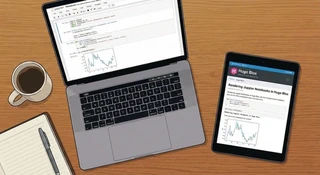 Image credit: HugoBlox
I’ve updated my research profile to highlight my ongoing interests in Theoretical Physics and Lattice QCD. My experience with these fundamental frameworks—particularly in handling complex computational models and non-perturbative phenomena—forms the backbone of my approach to solving intricate problems in nuclear science and fluid perturbation theory.
My foundation remains rooted in Theoretical Physics. I find that the rigorous mathematical discipline required for QCD simulations provides a unique advantage when calculating first-order quantum corrections for applications. It’s all about understanding the fundamental forces to predict real-world behavior.
Table of Contents
Why publish notebooks?
Reproducible Research: By publishing the actual notebook, you allow others to download and run your code, verifying your results and building upon your work.
- No more screenshots – Render crisp code and vector plots directly from your source.
- Theme consistent – Notebooks automatically adapt to your site’s theme (including dark mode).
- Flexible sourcing – Display notebooks from your
assets/folder, page bundles, or even directly from a remote GitHub URL. - Interactive – Users can copy code blocks or download the full notebook to run locally.
Example: Data Science Workflow
Below is a live example of a notebook rendered right here in this post. Notice how the markdown, code, and outputs (text, HTML, and JSON) are all preserved and styled.
Launch Readiness Analysis
Python · Kernel: Python 3 · nbformat 4.5 · 6 cells
Ship Notebook Stories in Minutes
Hugo Blox Notebook renderer turns your .ipynb experiments into beautiful long-form posts.
Use this sample to see how markdown, code, and outputs flow together.
- Drop notebooks inside
assets/notebooks/(or import them as page resources). - Reference them with
{{</* notebook src="your.ipynb" */>}}. - Control code, outputs, metadata badges, and download links via shortcode params.
| |
Collecting data...
Training notebook-ready block...
Done!
0.982 | |
Notebook blocks are theme-aware and dark-mode friendly.
| |
{
  "metrics": {
    "engagement_rate": 0.73,
    "read_time_minutes": 4.6,
    "subscribers": 1280
  }
}Tip: Pair this block with Call-to-Action cards or the Embed shortcode to link to GitHub repos, datasets, or ARXIV preprints.
How to add a notebook
- Save your notebook. Place your
.ipynbfile inassets/notebooks/(for global access) or inside a page bundle (likecontent/blog/my-post/analysis.ipynb). - Add the shortcode. In any Markdown page, simply use:
{{< notebook src="analysis.ipynb" >}} - Customize. You can hide code cells for non-technical audiences (
show_code=false) or just show the output (show_outputs=true).
Hugo Blox respects your privacy. Notebook rendering happens statically at build time—no third-party services required.
Next steps
- Try it out: Drop one of your existing notebooks into this site and see how it looks.
- Link your papers: Use the Embed shortcode to link your notebook to your latest arXiv preprint or GitHub repository.
- Get help: Join the community on Discord or check the documentation.
Happy researching! 🚀

Darius Azimi is a highly analytical Physicist with a robust foundation in Theoretical, subatomic, and Plasma Physics. With a career spanning multiple M.Sc. degrees from top Swedish and Iranian institution, I specialize in bridging the gap between complex theoretical frameworks and practical computational applications. My expertise lies in developing high-fidelity simulations—using PIC, Monte Carlo, and Molecular Dynamics—to investigate the linear and non-linear properties of dynamic physical systems. I am a published author in journals such as the International Journal of Modern Physics B, where I have contributed to the understanding of statistical physics, binary hard sphere mixtures, and quantum perturbation theory. By combining rigorous mathematical modeling with advanced software development in C++, Fortran, and Python, I deliver high-quality analytical solutions for complex equations using iterative solvers like GMRES and BICGSTAB. Whether driving academic research or consulting on technical subatomic systems, I am dedicated to pushing the boundaries of applied physics through algorithmic innovation and data-driven insights. Outside of my research, I have enjoyed contributing to the Swedish educational system as a substitute teacher, which has further refined my ability to communicate complex ideas in Swedish.